Lock the biggest time sinks the moment you start a focus session.
Screen time blocking, redesigned
Block distractions. Reclaim your focus.
Astradic locks distracting apps and sites, enforces limits, and keeps your attention where it matters.
Block lists Apps + sites
Schedules Automatic focus
Set recurring windows that protect your deep work every day.
Limits Hard boundaries
Stop doomscrolling with firm caps and intentional unlocks.
Insights Focus signals
Review your patterns and tighten what drains your attention.
App preview
A calm interface for serious focus
Every screen is designed to surface what's essential and remove the rest. These previews show how Astradic keeps your attention on the work.
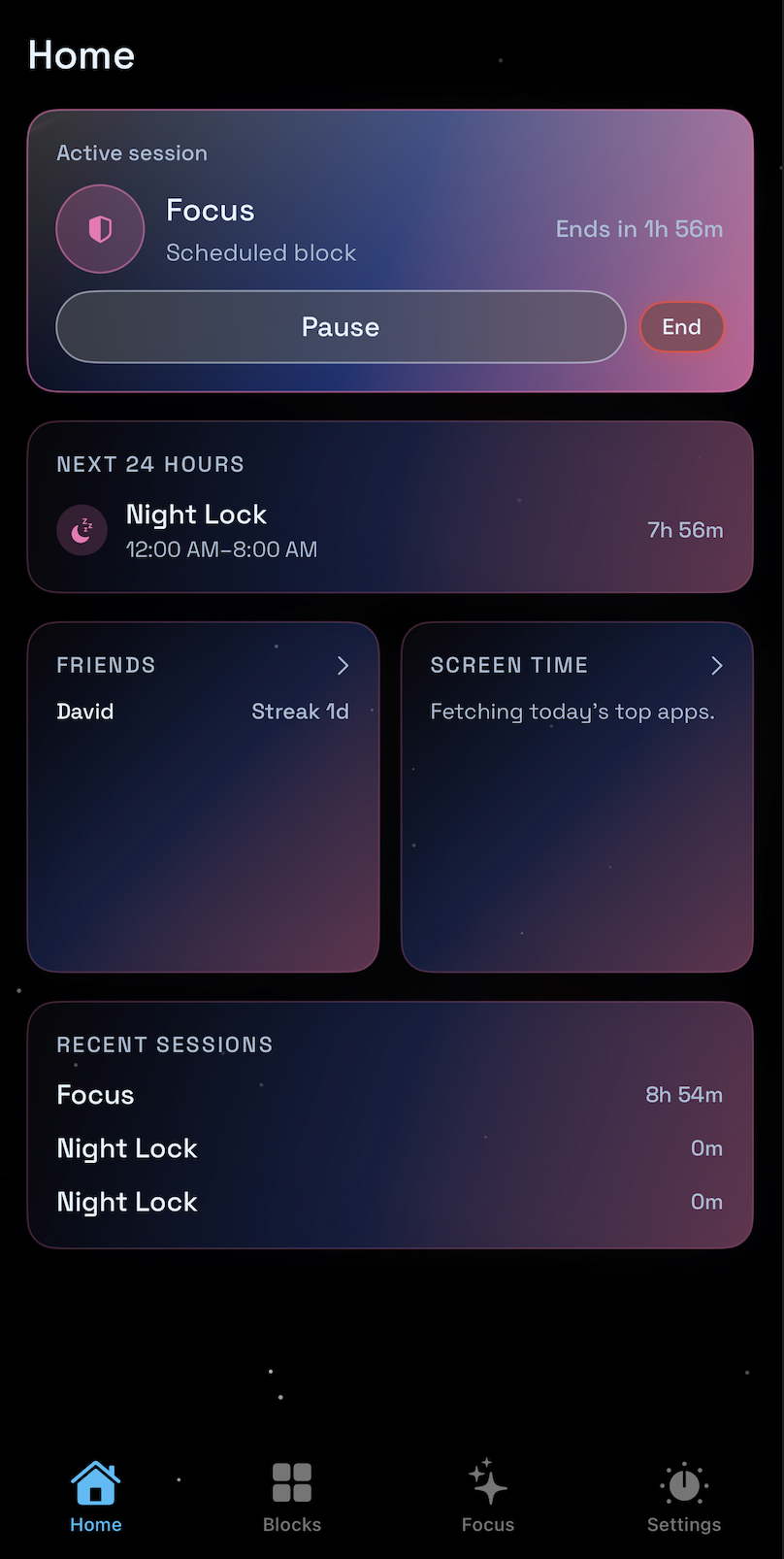
Home
Your focus hub at a glance
See what is running, what is next, and how your recent sessions are trending without digging into menus.
Active session + next up
Current focus, upcoming block, and timing in one view.
Friends
Light social context with streaks alongside your day.
Quick insights
Recent sessions and screen-time cues at a glance.
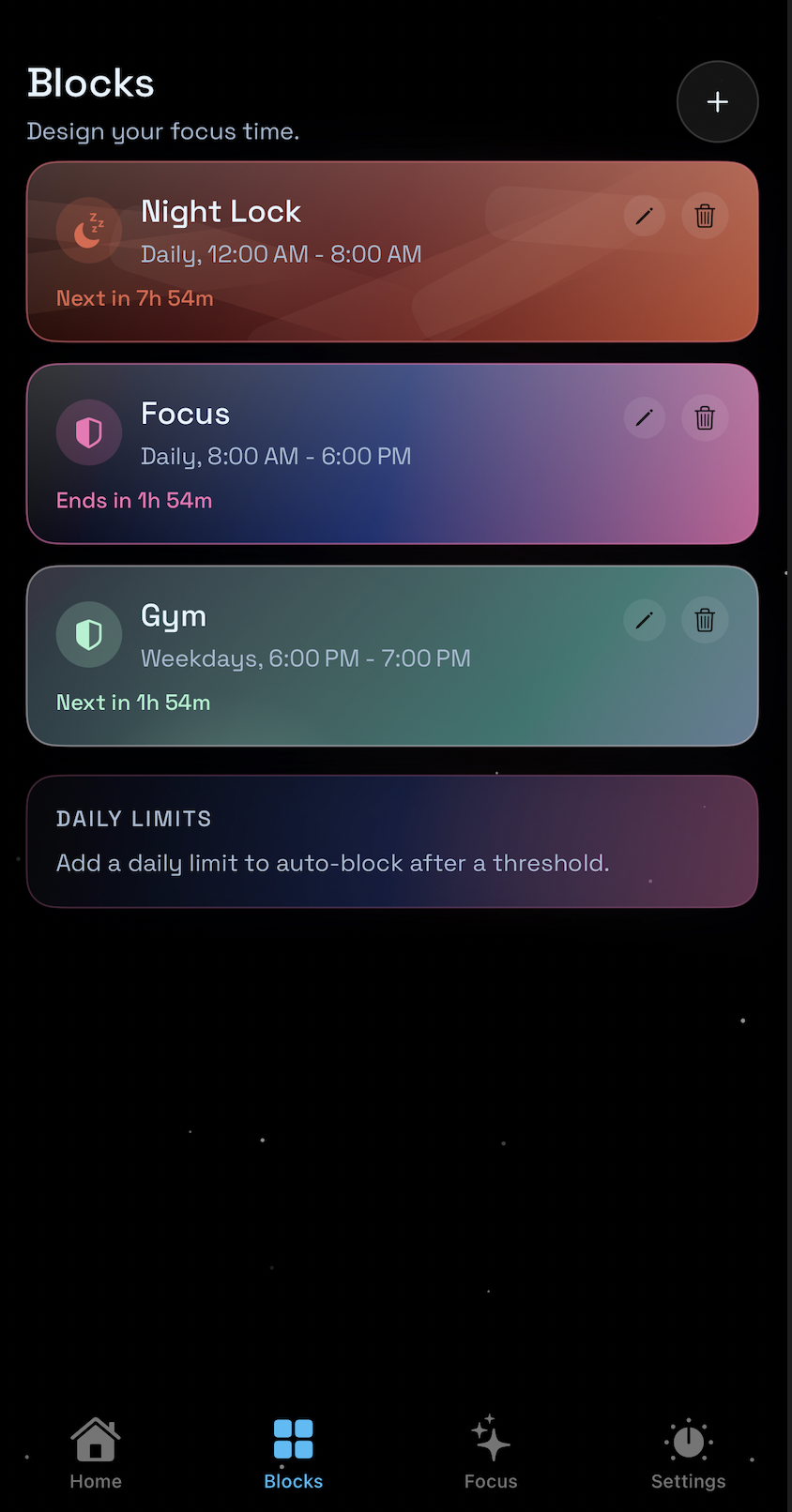
Blocks
Build schedule blocks in seconds
Create recurring focus windows with clear durations and quick adjustments. Your routine stays visible and easy to update.
Recurring sessions
Set daily or weekday blocks with a single tap.
Fast edits
Adjust, duplicate, or remove blocks instantly.
Daily limits
Add thresholds that trigger auto‑blocking.
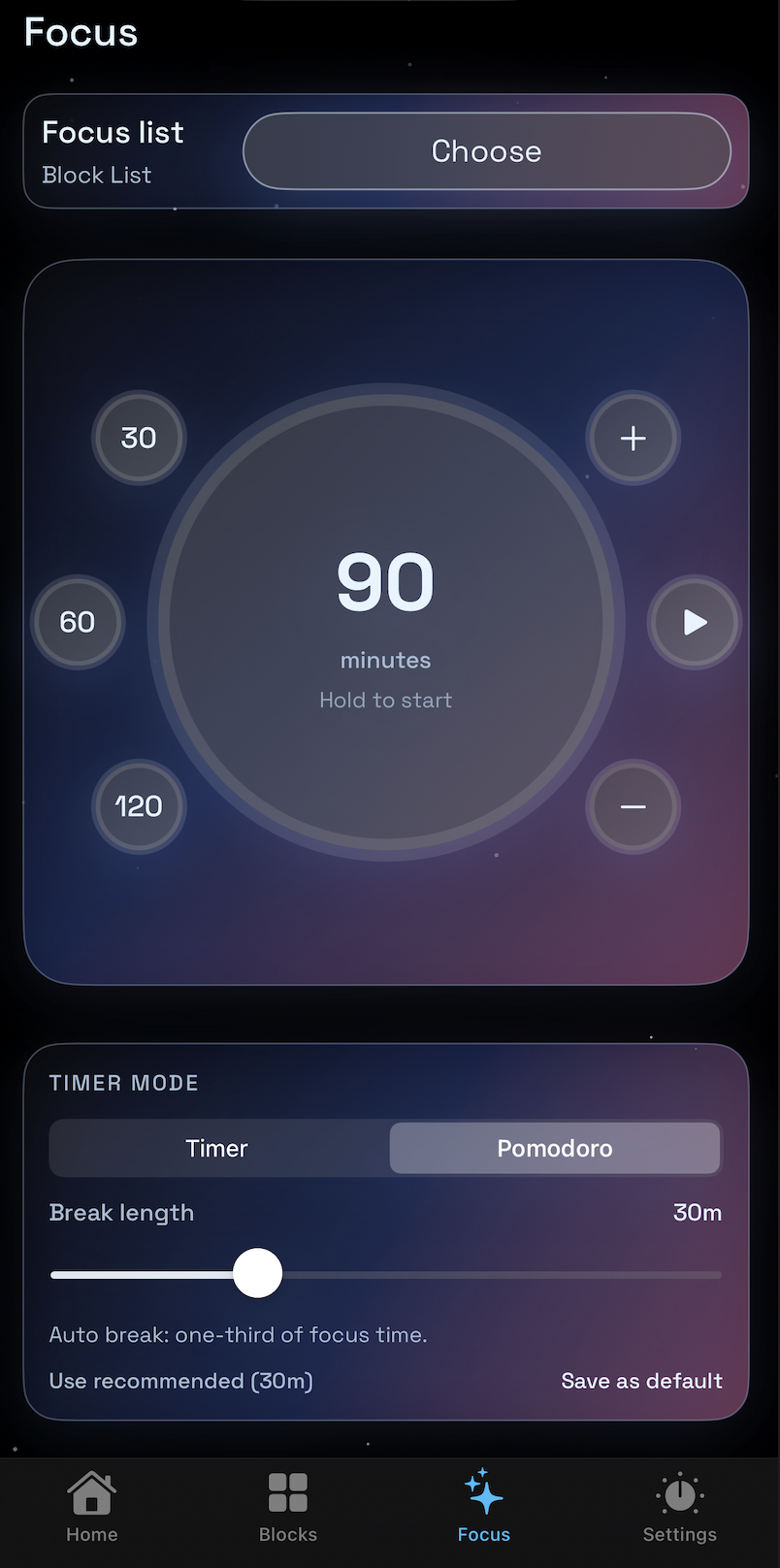
Focus timer
Timer or Pomodoro, ready to start
Choose your block list, set minutes, and switch between Timer and Pomodoro in one place.
Block list selector
Pick the list tied to the session.
Minute dial
Quick presets with precise control.
Pomodoro controls
Toggle modes and set break length.